
NOTE: You can log into PROMIS from Cerner by clicking the “PROMIS” button on the toolbar on the top.
The PROMIS team has been working on a feature to display SPH Cerner Problems “as-is” that are received from SPH Cerner in a nightly extract. This feature will be included in our upcoming release scheduled for November 29th, 2020. The screen will be accessible from the new ‘View External’ button in PROMIS 4 under the Current Comorbidities section in the Patient Panel. Although it is displayed under Current Comorbidities in PROMIS, please note that the SPH Cerner Problems list may include both Comorbidities and Complications as these are not differentiated in Cerner.
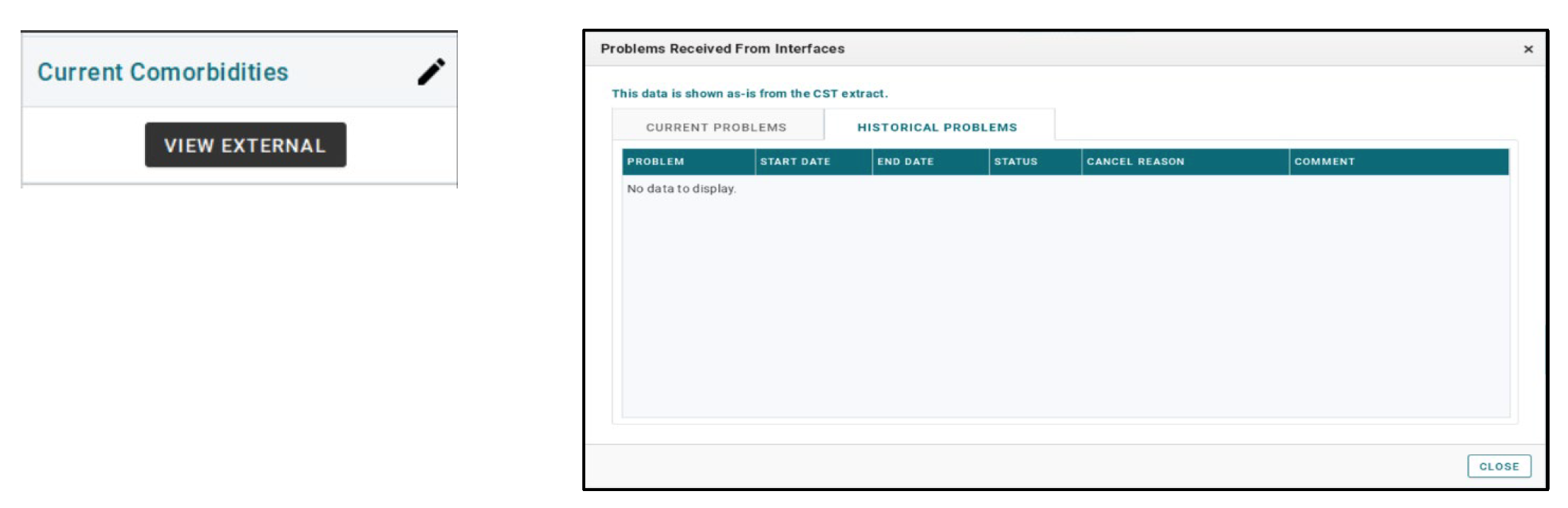
This data will be displayed as entered in Cerner and will not be auto loaded to corresponding PROMIS fields. Comorbidities and Complications displayed here must still be entered in PROMIS, as required, to meet CORR and other reporting requirements.
The Cerner Problems data will be refreshed nightly to support both clinical and clerical needs. As an example, this screen can be used to support data-entry into PROMIS. It is important to note that this data is not populating PROMIS fields and will not be available in any reporting until users enter the information directly into PROMIS. For instructions on how to enter Comorbidities and Complications in PROMIS, please consult the PROMIS User Guide.
For more information on all PROMIS workflows, refer to the PROMIS User Guide https://promis.testing.canadian-visa-lawyer.com/manual/index.htm
PROMIS Support: 604-806-8868 or 1-855-806-8868 / Email support@bcpra.ubc.ca
CERNER Support: 604-806-9333