Release Date
September 27, 2020
Overview
Improvements
Support for Virtual Visits in the following modules:
- Demographics (PROMIS 4)
- Physical Exam (PROMIS 4)
- Scheduling (Classic)
- Integrated Assessments (Classic)
Resolved Issues
- Biopsy – Drop-down menu display and navigation
- COVID-19 Questionnaire/Dialysis Run Report runs for All Centres
- Transplant Flowsheet – Same-day results display
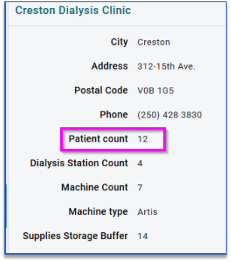
- Emergency Planning – Patient Count
Improvements
Virtual Visits
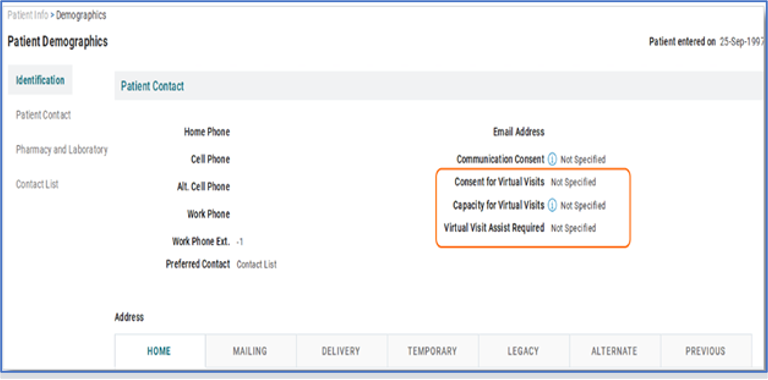
Patient Demographics (PROMIS 4)
PROMIS 4 > Patient Overview > Patient Info > Demographics
New section in Patient Demographics: A new section for virtual visits has been added to Patient Demographics to capture consent for:
- Virtual visits,
- Capacity for virtual visits and,
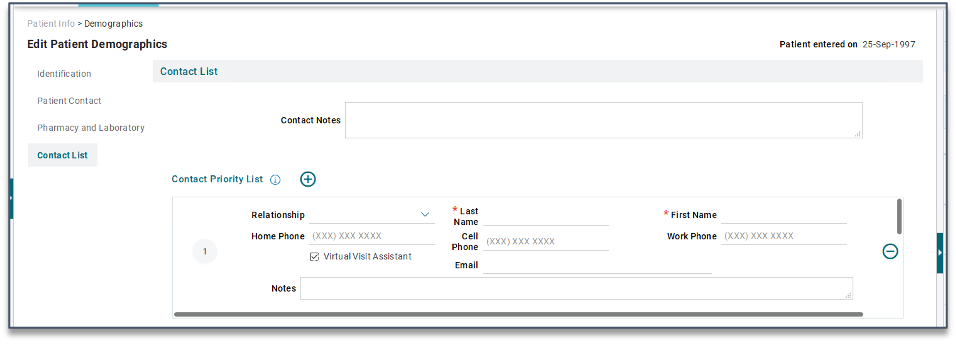
- Requirement of virtual visit assistant.
Physical Examination (PROMIS 4)
PROMIS 4 > Patient Overview > Assessment > Physical Examination
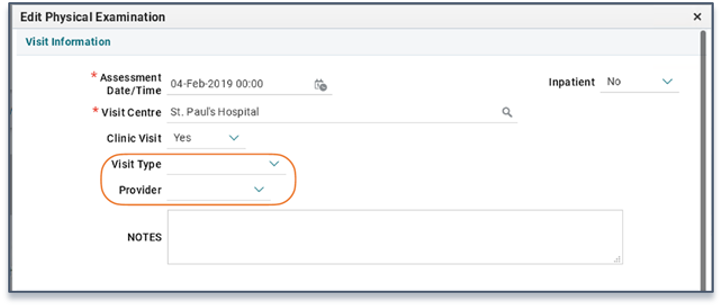
New fields in Physical Examination in relation to Virtual Visits. Visit Type and Provider drop-down fields have been added to Physical Examination.
Visit Type list of values include:
- In-Person,
- Home,
- Facility Vid. Conf, (Vid. Conf = video conference)
- Home Vid. Conf.
Provider list of values includes:
- Team w/ MD, (w/ = with)
- Team w/o MD, (w/o = without)
- RN, (Registered Nurse)
- RD, (Registered Dietitian)
- SW, (Social Worker)
- MD, (Physician)
- PHARM, (Pharmacist)
- Occ. Therapist. (Occupational Therapist)
Scheduling (Classic)
PROMIS Classic > Scheduling > Clinic Visits > Centre Schedule
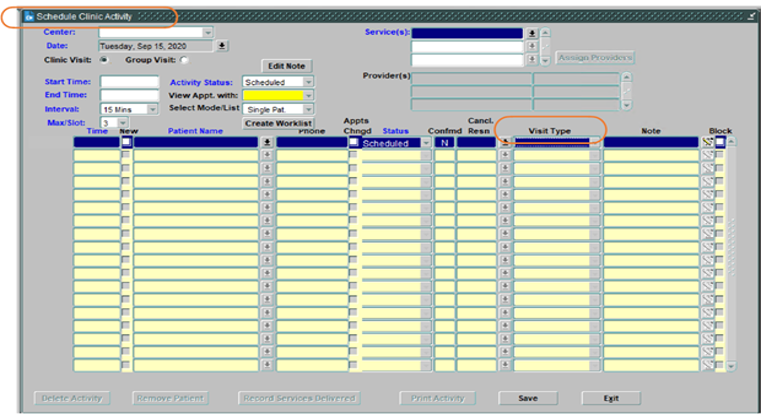
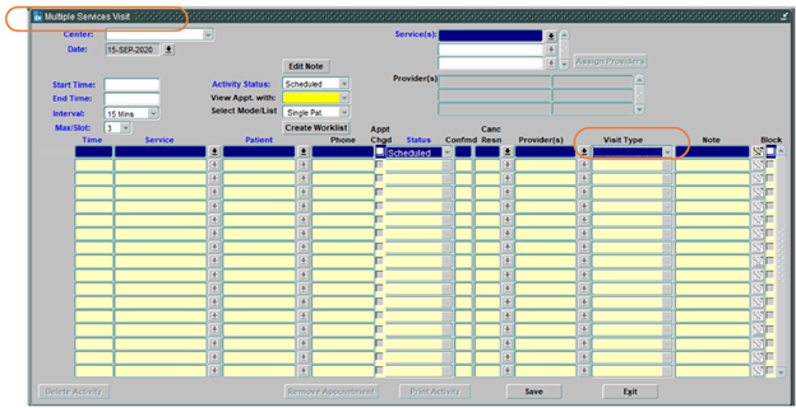
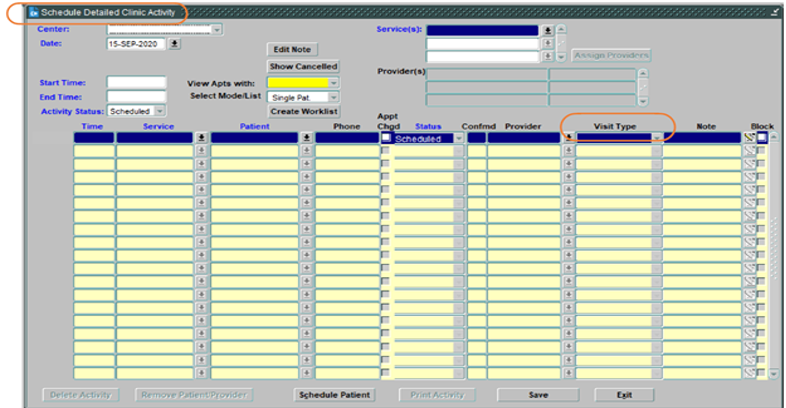
New columns added into Clinic Scheduling for Virtual Visit use. Clinic Scheduling, Multi-Activity and Detailed forms have a new column called “Visit Type” with the following options:
- In-person,
- Telephone,
- Facility based video conference and,
- Home based video conference.
Visit type in the Detailed Clinic Schedule: changing the visit type value from “In Person” to “Telephone” and saving will update the field.
Integrated Assessments (Classic)
PROMIS Classic > Monitoring > Integrated Assessment
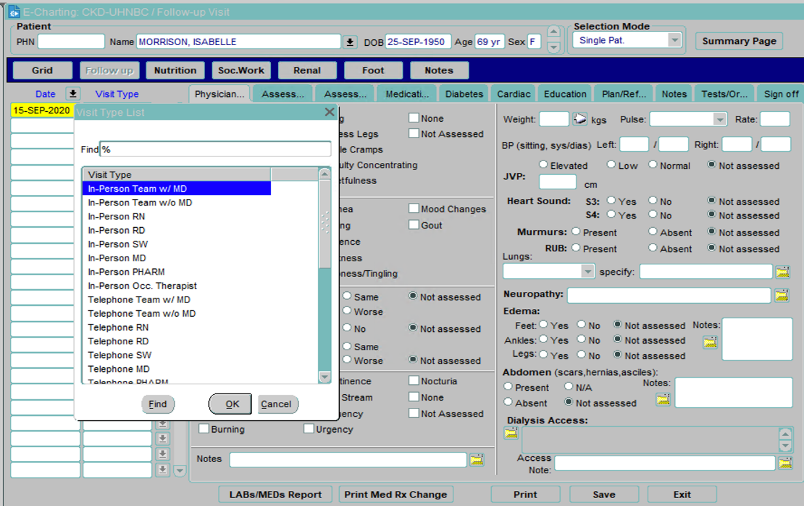
Updated list of values in Integrated Assessment Visit Type. The Visit Type field in Integrated Assessment has the following new values:
- In-person,
- Telephone,
- Facility based video conference and,
- Home based video conference.
In Integrated Assessment: the list of values in the Visit Type drop-down in Integrated Assessment have corrected spellings.
Resolved Issues
Biopsy – Drop-down menu display and navigation
PROMIS 4 > Patient Overview > Orders/Results > Biopsy
SUPPORT-13110, SUPPORT-13125: All options in the Primary Biopsy Results drop-down are visible and the scroll feature works as desired.
Covid-19 Questionnaire/Dialysis Runs report
PROMIS 4 > Reports > Centre Reports > Covid-19 > Questionnaire/Dialysis Runs
The Covid-19 Questionnaire/Dialysis Runs report shows data when generated for “All Management Centre”.
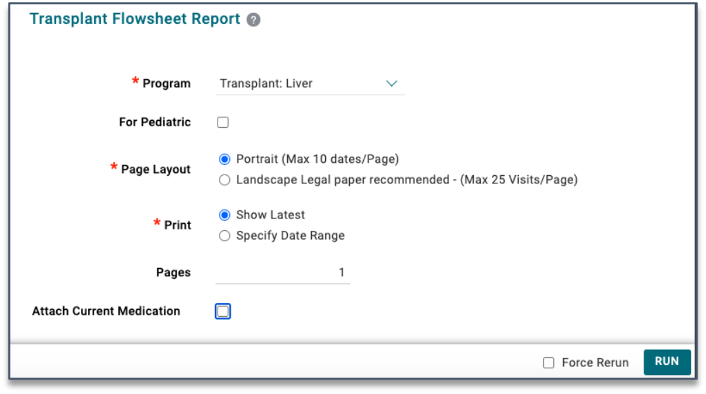
Transplant Flowsheet – Same-day results display
For worklists: PROMIS 4 > Reports > Worklist Reports > Transplant> Transplant Flowsheet
For a single patient: PROMIS 4 > Patient Overview > Reports > Transplant > Transplant Flowsheet
SUPPORT-13164: Display all CMV test results received from different sources, and if any results received on same day, in the landscape layout (similar to portrait layout).
(Resolved, in PROMIS September 15/16, 2020)
SUPPORT-13117: The header displaying lab test names are shown on all pages of the Transplant Flowsheet report.
The status of the “Attach Current Medication” checkbox determines the display of the patient’s current medications on the Transplant Flowsheet.
Emergency Planning – Patient Count
PROMIS 4 > Emergency Planning > Facility Report
SUPPORT-12392: The Patient count number, on the left side of the Facility Reports for each centre, pulls the patient count from Dialysis Status. (Patients are counted when the dialysis centre is the facility selected and dialysis location is in: ‘CEN’, ‘IN’, ‘ICU’, ‘WARD’, ‘IOP’, ‘ISO’, INISO’, ‘COMM’.)